EN
EN  FR
FR 


Mondays and Fridays 10 am – 12 pm: TEEC offers workshops to improve digital skills, focusing on keyboarding, and proficiency in Microsoft Word and Excel. These skills are crucial for gaining employment and navigating modern workplaces.
Monday & Friday 10 am – 12 pm
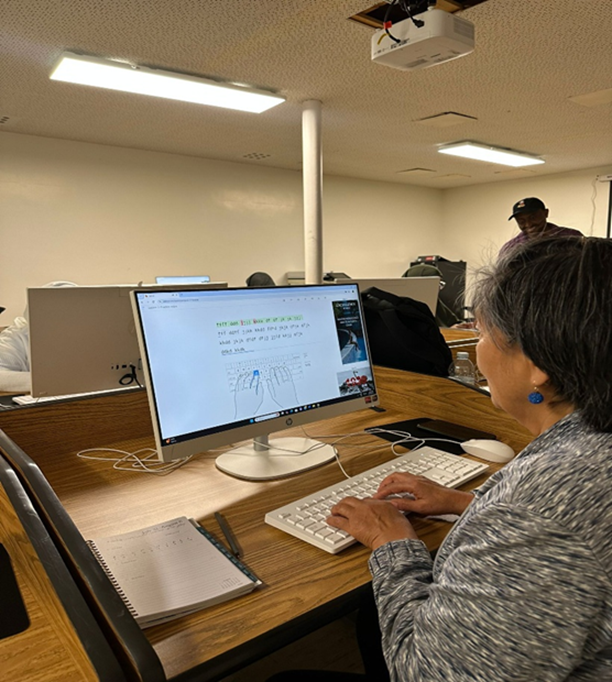
The computer literacy program was designed for beginner English speakers and first-time computer users, providing them with essential digital skills in a structured and supportive environment. Participants learned to identify basic computer components, operate a mouse, type simple words and sentences with correct finger placement, and navigate the desktop to open and use basic programs like Notepad and WordPad. They also gained practical skills in saving, retrieving, and editing documents, as well as safely accessing the internet and performing simple online searches. These skills were taught using a highly visual, interactive, and supportive teaching approach tailored for adult learners with limited English proficiency. Pair activities, visual aids, repetition of key terms, and gesture-based instructions ensured that all participants could follow along regardless of their literacy levels. By the end of the program, many participants were confidently using a mouse and keyboard, typing their names and basic sentences, navigating files, and even performing simple internet searches. These are critical life and employment skills that opened the door to further digital learning and job opportunities.
Modules Covered:
- Focus: To introduce participants to basic computer skills through hands-on practice, using simple language, visual aids, and step-by-step demonstrations. The lesson is designed to build confidence and familiarity with computers for beginners.
- Visual Identification: Present a real computer or a large image to point out and name key parts such as the monitor, keyboard, and mouse.
- Mouse Skills Instruction: Demonstrate essential mouse functions, including left-click, right-click, double-click, and scrolling.
- Keyboard Introduction: Explain different sections of the keyboard; letters, numbers, spacebar, enter, backspace, and shift, while highlighting proper finger placement and posture.
- Basic Typing Skills: Provide typing practice using Microsoft Word to build accuracy and familiarity.
- Computer Navigation: Show how to open the Start Menu, launch Notepad or WordPad, and save files to the desktop.
- Basic Internet Use: Demonstrate opening web browsers (Chrome, Edge, Firefox), typing web addresses, using the search box, and recognizing online scams.
- File Management: Guide learners to use the keyboard and mouse to create documents and organize them into folders.
- Online Information Literacy: Teach learners how to find reliable information online and identify scams.
- Language Translation: Introduce tools for translating between English and learners’ native languages.
- Using Maps: Show how to use online maps for trip planning and navigation.
- Email Communication: Instruct on setting up, sending, and receiving emails.
- Computer Setup and Internet Connection: Teach how to set up a computer and connect it to the internet.